← GrainDraft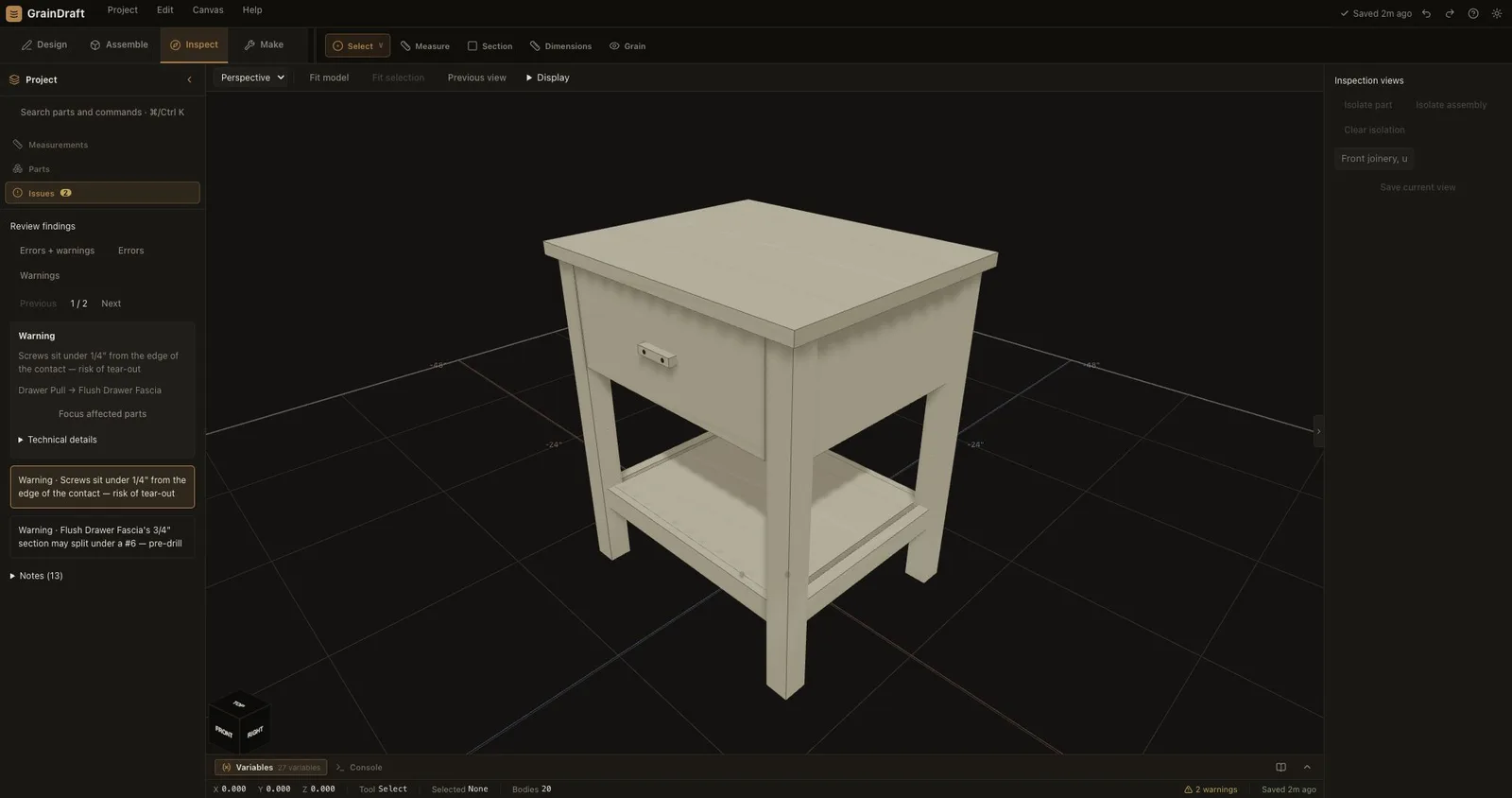
The real findings queue. Warnings are shown openly so the model can be reviewed before fabrication.
Inspect workspace
Look closer before you cut.
Find the affected boards, understand the finding, and review a correction before changing your project.

01
A guided findings queue
Review errors and warnings first, with informational notes available separately. Move through findings and focus the involved parts.
02
Preview a proposed correction
Where a fix is available, inspect its before-and-after values and validation result. Only Apply fix changes the joint.
03
See inside the assembly
Section and exploded views expose joints that are hidden in a complete piece. Measurements help you investigate the fit.
04
Saved inspection views
Save a camera, isolation, section and explode state. Return to a named view, or make it the opening view for the project.
05
Keep your bearings
Fit the model or selection and return to the previous view. Each workspace remembers its layout and camera during the session.