Make workspace
Take a clear plan to the shop.
Bring stock, material estimates, machining and assembly information together before exporting.

01
A live stock list
Review stock length, width and thickness with material and board feet. CSV and PDF outputs carry your cut list out of the browser.
02
Material estimates
Set species prices and compare project totals. Hardwood board-foot and dimensional-stock linear-foot pricing reflect different purchasing methods.
03
Sheet layout
Arrange eligible plywood and MDF parts on sheets. Parts that do not fit are reported so they can be resolved.
04
An illustrated shop packet
Choose your shop method and paper size. For Origin, optionally include setup pages and matching SVG files together in one ZIP.
05
Supported Shaper Origin cut files
Inspect exact setup previews and export supported mortise-and-tenon, box-joint and profile operations with encoded depths and a custom datum anchor. Omitted work is listed; verify settings on-tool.
06
Finished-solid exports
Export STL, OBJ and glTF geometry for downstream workflows. These mesh files are distinct from operation-specific machining files.
MAKE → SHAPER ORIGIN
The setup and the cut file belong together.
Choose the board, inspect the exact face and datum, then download its setup SVG. Add Origin setup pages and matching files to your shop packet to keep the bench instructions with the work.
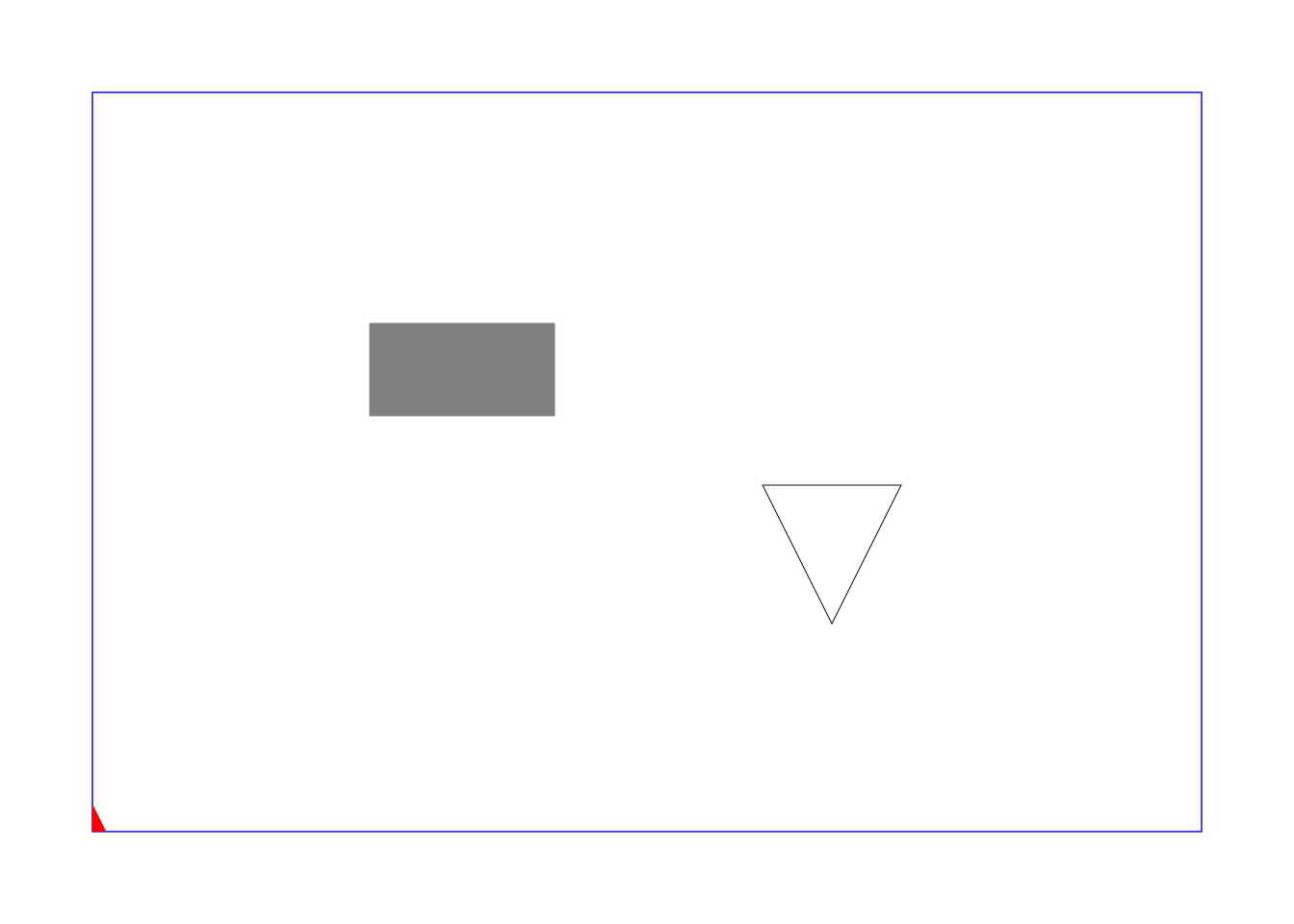
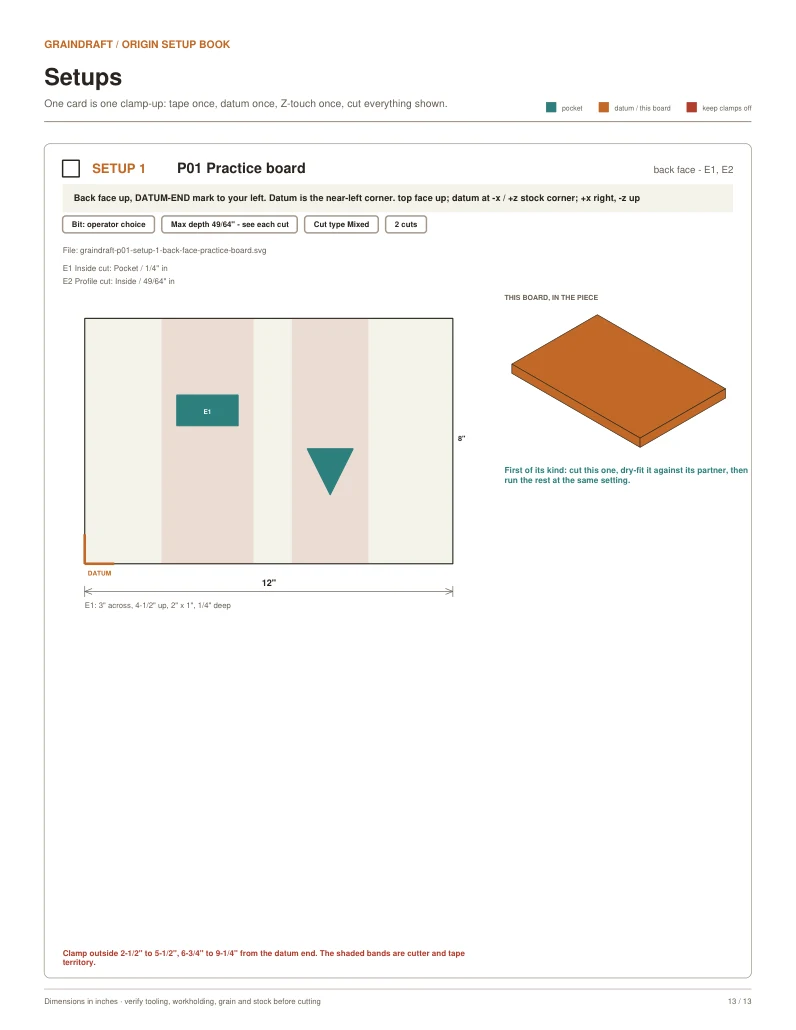
Software-checked example, not physically cut on Origin. Confirm scale, anchor, bit, cut type, depth and workholding before making a scrap test. Only supported operations generate SVGs; other work is listed separately. Shaper Origin is a trademark of Shaper Tools. GrainDraft is not affiliated with or endorsed by Shaper Tools.