
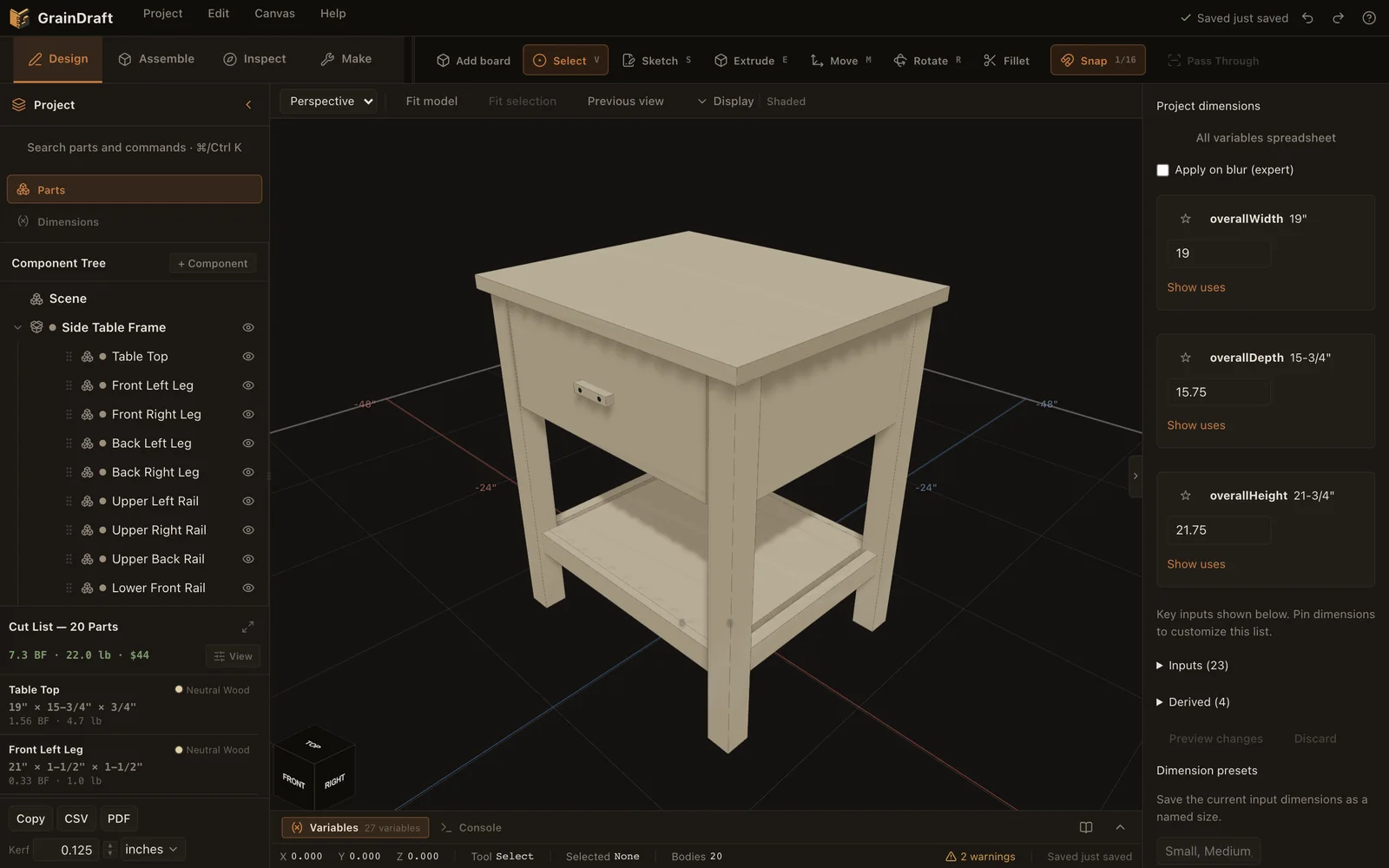
01 · Design
Give your idea dimensions.
Start with a board or a sketch. Build in the relationships that make the next change easier.
Design gives the idea its dimensions. Assemble connects the boards. Inspect checks what you cannot see. Make turns the model into what you take to the shop. Every workspace edits and reads the same project.
01 · Design
Start with a board or a sketch. Build in the relationships that make the next change easier.
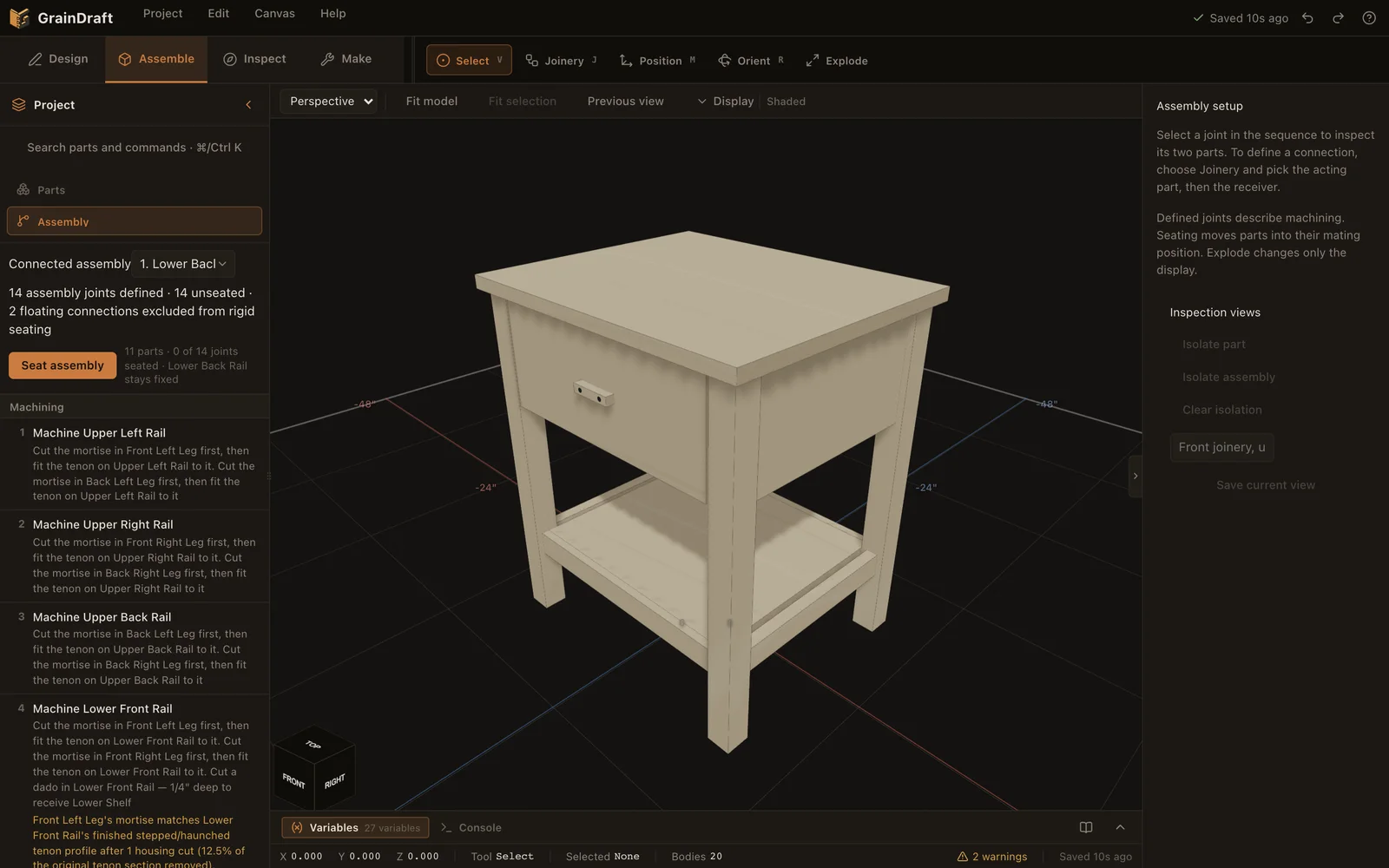
02 · Assemble
Define both halves of a joint, inspect their faces, and work with a clearly named assembly.
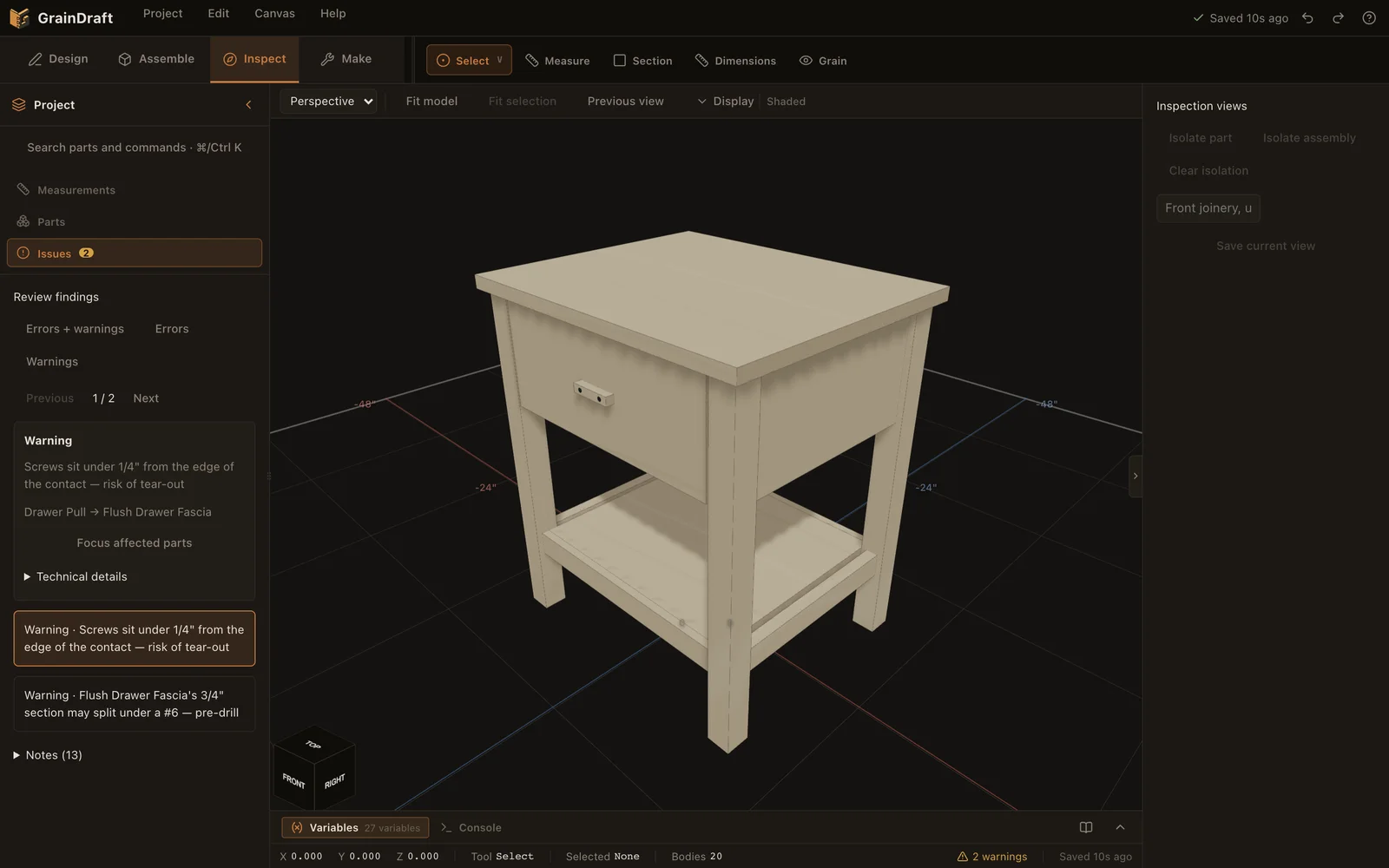
03 · Inspect
Find the affected boards, understand the finding, and review a correction before changing your project.
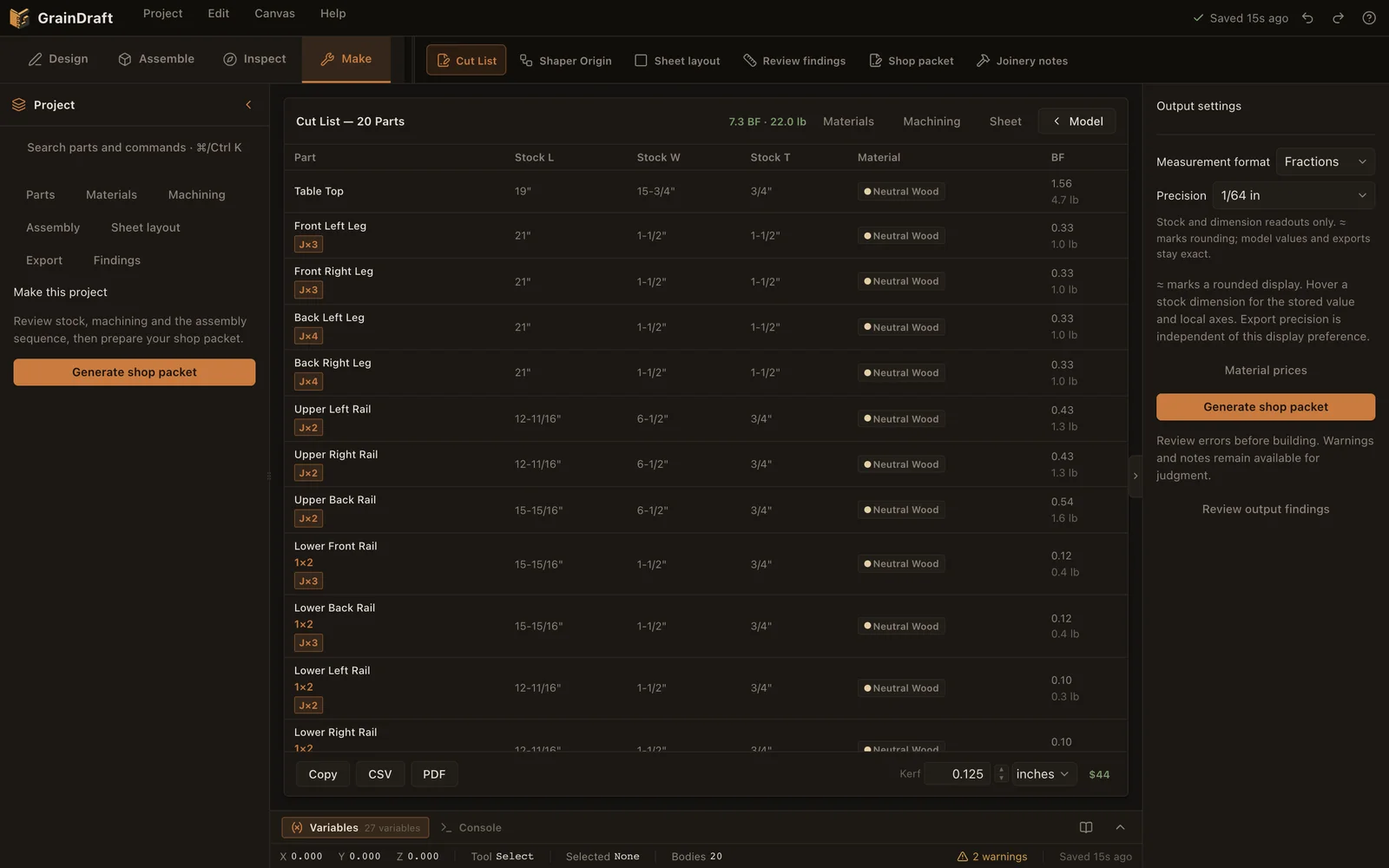
04 · Make
Bring stock, material estimates, machining and assembly information together before exporting.